
Knowledge Garden: find the source behind a saved note

On this page
A result can point you toward the right note without proving the claim in it. When you use Knowledge Garden for a product brief, try retrieving one detail you can check against the original, such as the date on a release note.
Find the entry
Open the base that contains your source material. Search for a distinctive term from the source, such as the feature name, rather than “latest update.” The Knowledge Garden guide shows the search field and how a content card displays a preview and seed count.
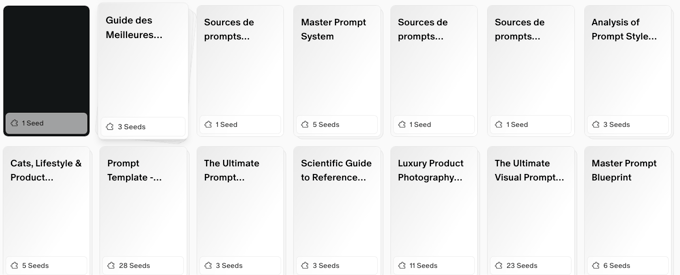
A seed is a chunk of the entry. Several chunks can come from the same document; the count is not a count of independent sources.
Verify before reusing
Open the original link or file and check the passage in context. For a launch date, verify that the source refers to the release rather than the preview. Record the original title, URL or file, and date beside the claim in your brief. If all you have is a saved excerpt with no original, treat it as a lead.
Keep the original and any summary separate. You can attach a base to a flow as described in the guide, but attaching a base does not establish that every answer used the right source.


