
Keep a brief and its drafts together in Flowith or ChatGPT

On this page
A teammate who takes over a launch needs three things: the approved brief, the text ready to publish, and a record of the facts still being checked. Here is how to keep those separate in two workspaces.
Flowith: arrange the drafts next to their source
Keep the brief in one node and put the approved copy next to it. Put open questions, such as an unconfirmed launch date, in a separate node. Follow up from the copy when revising it, or quote the open questions explicitly when you want to address them. The Flowith interaction guide shows where those inputs are selected.
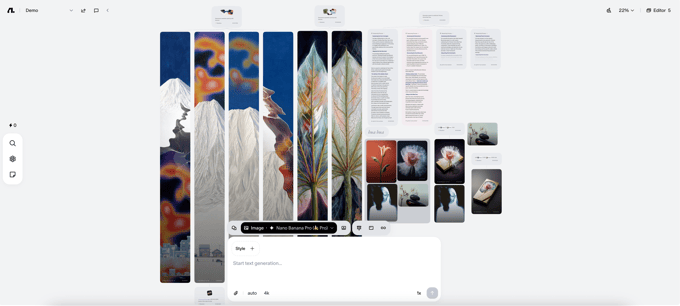
The launch image shows the layout, not the results of this example. Use the canvas when seeing relationships between alternatives helps someone review them.
ChatGPT: organize the drafts as separate chats
Keep the brief with the project’s files. Name the chat containing the approved copy separately from the chat where you investigate open questions. Put the link or title of the approved draft in the handoff. OpenAI’s Projects guide explains how projects organize files and chats, and which settings affect access and context.
Check the handoff, not the interface alone
Ask the reviewer to find the source, identify the approved version, and spot a claim that needs verification. Those three checks tell you whether the organization works for the job. This walkthrough compares documented ways to arrange a brief; it is not a test of model quality, cost, or which product writes better.

