
GPT Image 2 on Flowith: proof the words before you ship the image

On this page
November 9, 2026: In the Flowith workspace, choose GPT Image 2.6 Flare for fast iterations or Sunburst for more detailed edits. Start from Flowith AI Image. The screenshot below is from the GPT Image 2 launch. The same proofing process applies to a new still-image draft, whichever model you choose.
A good-looking poster can still give people the wrong date. When an image needs exact wording, keep the approved copy beside it and compare the two before export. The image is a draft until the words check out.
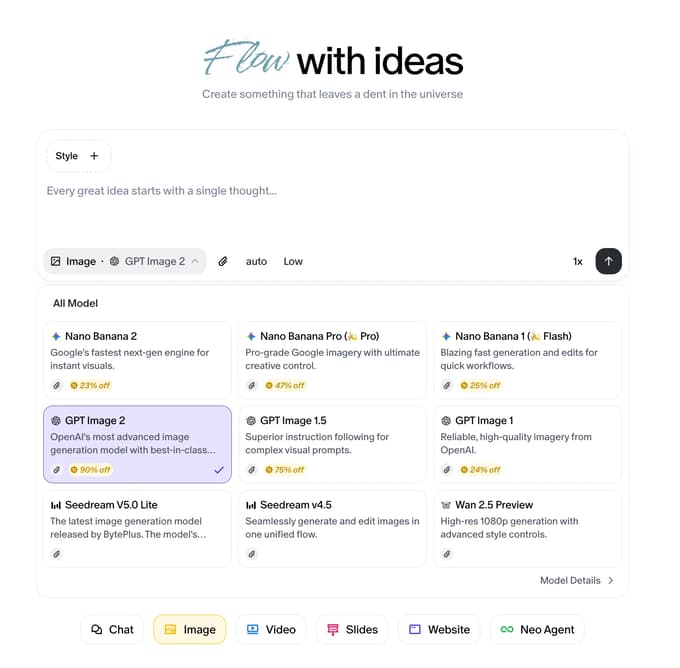
Launch screenshot, April 2026. It shows where GPT Image 2 was selected, not today’s prices or the availability of the other models in the picture.
Give the model exact copy
Keep the source copy in a text node. For a small event poster, try two lines, such as OPEN STUDIO and Friday, 7 pm. Open image mode, choose a model, and put the two lines in the prompt. Give the layout and imagery instructions separately. This is a practice brief, not text from a published generated result.
Compare the final export
Check spelling, case, punctuation, and the time at the size people will see the poster. If the layout works but a date is wrong, make a controlled edit or place the approved text in a design editor. Review the export again: a second generation can introduce an error elsewhere.
The GPT Image 2 model guide describes the original model entry. For newer models, check the Flowith model catalog and your workspace. The launch screenshot does not establish a text accuracy rate. No new image was generated for this update.
