
Flowith Context Playground: follow up on a node or quote it

On this page
Start with a canvas containing a product brief, a draft, and a correction. If you want another version of the draft, continue from that branch. If you want a new answer that uses the brief and the correction but not the draft, quote those two nodes instead.
Continue one branch
In Follow-up First mode, select the node you want to continue from. The Flowith node interaction guide describes how the prior nodes on that branch become context for the follow-up. Before sending, confirm you selected the intended branch, especially when several drafts have similar names.
For example, follow up from the approved draft with: “Keep the product claim. Shorten this to two sentences.” The original draft remains a separate node to compare against.
Bring in only the references you chose
In Quote First mode, select the brief and correction as references. Check the reference list in the composer. An old draft elsewhere on the canvas is not the same thing as a reference you explicitly added.
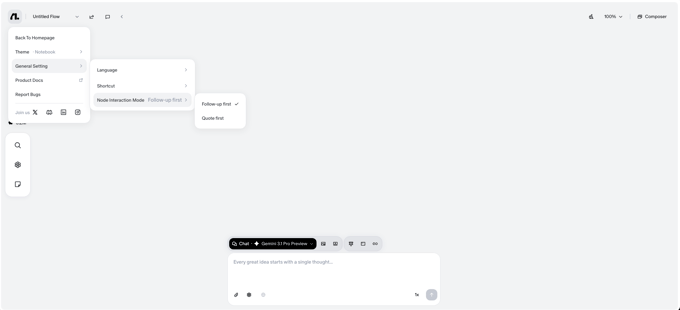
The image comes from the node interaction guide. The prompts here are examples, not measured results. If a new answer repeats an old claim, first check the input branch and quotes against the current brief. Editing the canvas context does not change a model’s training or prove that the next answer is correct.


